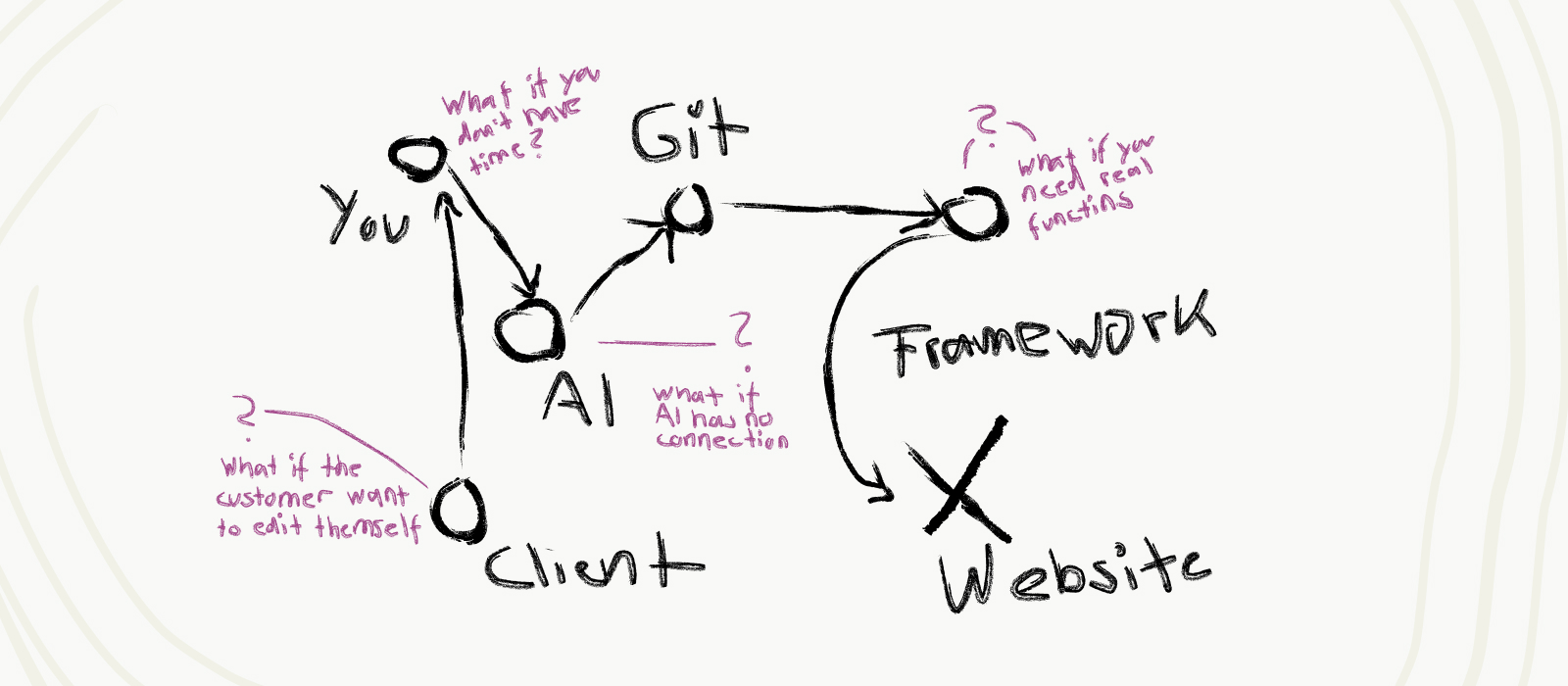
You can ask an AI for a website and get a good one in an afternoon. We do it ourselves, and we’re not going to pretend otherwise. For a launch page, a demo or an event that’s over next week, that’s often all you need.
The trouble starts after the first publish. Not when you want another hero section, but when the site has to keep up with a business: the café changes its lunch menu, a product sells out, the studio adds twelve new projects, opening hours change for the holidays. And the person who has to make that change at 11 a.m. is rarely the developer, and never the AI that wrote the first version.
That’s the argument of this post, and it’s a narrow one. AI made the first version of a site cheap. It didn’t make keeping it right cheap. That second job is what a CMS is for.
Where skipping the CMS is the right call
Let’s start with the honest part. A lot of CMS installs are heavier than the site they run. If the job is one campaign page, one person maintains it, and nothing on it repeats, then AI plus static hosting is a perfectly good choice. We’d tell you the same thing if you asked us over coffee.
That is a decision about scope, though. The mistake is assuming the site will stay that small. Restaurants add weekly specials. Agencies add case studies. Shops add products. At some point, “just edit the HTML” stops being the cheap option.
The market seems to agree. About two thirds of all websites run on a content management system, according to W3Techs. Its list now even counts AI builders like Lovable and v0 as content management systems, because the sites they produce still need somewhere for their content to live.1
Problem one: every edit is a chance to contradict yourself
When a site is a folder of files that people and models edit as needed, a change is never just one change. The same fact usually lives in more than one place:
- A restaurant updates tonight’s menu, but last week’s prices are still in the promo box on the homepage.
- A consultant changes their packages, and one landing page still shows the old day rate, because it lived inside a component, not in a shared list of services.
- A shop marks an item sold out in the banner but not in the category grid, because the two blocks were generated on different days.
- A clinic changes its address on the contact page but not on the location page or in the data search engines read.
AI makes each of those edits faster. Without a shared content model, it also makes the contradictions faster. Each page is its own copy of the truth, and nothing says “this is the price” or “these are the opening hours”.
Git helps developers roll back. It doesn’t give the person running the restaurant a draft of next week’s menu, or a marketer one place to retire an old offer. The site keeps loading, so nobody notices the drift until a customer does.
Problem two: every new feature becomes a new tool
Almost every site that lives longer than a campaign ends up with content that repeats: dishes, products, projects, services, team members, events, job openings. Many also need a way for visitors to send something back: a contact form, a quote request, an RSVP.
When that first real requirement shows up, teams usually pick one of three paths:
- Build it yourself. A serverless function, JSON in the repo, a script that syncs a spreadsheet. It works until spam, logins, email delivery or “who changed production last night?” becomes someone’s job.
- Rent a widget. A form service, a booking iframe, a shop embed. Fast for one feature. After four of them, the site is a patchwork: different logins, data in different places, styling that never quite matches.
- Use a content platform. Collections, fields, templates, a publish step, and one documented way to do forms and extensions. It still takes thought, but every new feature follows the same pattern instead of needing its own glue.
Small sites reach this point sooner than people expect. Not because they need anything “enterprise”, but because menus, services and product lists change far more often than the homepage copy.
The new workflows move the work around
Most “we don’t need a CMS anymore” setups follow a handful of patterns. Each is good at something real. None of them makes the content job disappear; they spread it across chat history, a Git repo, hosting config and third-party accounts.
| Workflow | What it does well | Where it tends to stall |
|---|---|---|
| Prompt-to-app builders | A convincing site or app from a description | Content that changes weekly still needs a home someone else can edit |
| One-page AI artifacts | One strong page, fast design iteration | No shared model for menus, products or projects across pages |
| Git repo plus a coding agent | Markdown content, previews, checks in CI | Non-developers editing, and lists that change every week |
| Static generator plus edge hosting | Speed and cheap hosting | Every form or stock flag becomes custom code |
| Spreadsheet or Notion as the backend | Easy tables for non-developers | Sync scripts, no publish step, loose permissions |
None of these are wrong. Each is a bet on how often the content changes and who changes it, and each stays cheap for exactly as long as that bet holds.
The Git route deserves a closer look, because it’s the one we hear most from developers. Content in Markdown, an agent that knows the repo, previews on every pull request: for a developer, that’s a great setup. But a restaurant manager or a shop owner needs a form in a browser, not a merge conflict on a Tuesday. If people outside the repo will edit the site, the content they edit needs to live somewhere they can reach.
When the AI has a bad day
There’s a plainer reason to keep a human way in: AI services go down. Outage trackers have logged hundreds of OpenAI incidents since the start of 2025, most of them minor, some of them hours long.2 Every provider has bad days, and they don’t wait for the weekend.
If the only way to change the site is to open an agent and regenerate, a provider outage becomes your outage. An admin screen is the circuit breaker: fix the typo, take the sold-out item offline, change the special, whether or not a model is answering.
Even when the AI works, people want to check its work. In the 2025 Stack Overflow Developer Survey, 84% of developers said they use or plan to use AI tools, but more of them distrust the accuracy of the output (46%) than trust it (33%).3 That’s an argument for drafts and review, not for skipping them.
What changes when AI works inside a CMS
AI doesn’t remove the need for structure. It changes who applies it. The useful split looks like this:
- Generation: drafts, rewrites, translations, alt text. This is where AI shines.
- Structure: collections, fields, slugs, draft or published. Explicit, whether a person or an agent sets it.
- Delivery: templates that read published content and stay boring on purpose.
Agents do their best work when they write into fields and drafts, not into twenty HTML files that each hold half the menu. Protocols like MCP make that connection standard: the AI gets a defined set of tools instead of a folder to search through.4
What this looks like in Birkly
This is the shape we built Birkly around, so here’s the menu example, start to finish.
The menu is a collection called menu with a few fields: name, price, allergens, sold out. Each dish is an entry. The page that shows it is plain HTML with one loop:
<ul class="menu">
 {for each entry in 'menu'}
 <li>{title} <span>{'price'}</span></li>
 {endfor}
</ul>
Change a price in the admin, and every page that loops over the menu shows the new one. The homepage promo, the menu page and the printable version all read the same entry, so they can’t disagree.
Now add AI. You connect Claude, ChatGPT or Cursor over MCP and sign in with a role. Give that connection the Author role, and it can create and edit dishes, but publishing stays with an Editor. Your AI app asks before every write, and Birkly’s built-in assistant can send its writes to an approval queue instead. The AI works with the same entries a person edits, so there’s no second, shadow copy of the content.
And when the AI is down, the admin isn’t. Someone opens the menu, ticks “sold out” and saves.
A few things we deliberately kept small: Birkly is a flat-file PHP CMS with no runtime dependencies, so your content is files you can back up and diff. It runs on PHP 8.1 or newer with Apache or Nginx, the core is free and open source, and features like commerce or events are plugins you add when you need them, not a day-one install.
The short version
- AI made the first version of a site cheap. Keeping it correct is still a content job.
- The new workflows move that job into chat, Git, edge config and widget accounts. They rarely remove it.
- Keeping facts right needs one place where each fact lives. Growing a site needs one pattern for lists, detail pages and forms, not a new embed per feature.
- A human admin is the fallback for the days the AI isn’t there, and the review step for the days it is.
- The answer isn’t the heavy CMS of ten years ago. It’s a light one that people and agents use the same way.
Further reading
- CMS AI in 2026: MCP won the wire protocol
- Writing with an agent, staying in charge
- Birkly in one page
- Docs: Content model overview
- Docs: MCP connections
- Docs: Roles and permissions
Sources
- W3Techs, Usage statistics of content management systems (data from 26 November 2026: 33.1% of websites use none of the systems W3Techs monitors).
- StatusGator, OpenAI outage history; OpenAI, status page incident history.
- Stack Overflow, 2025 Developer Survey: AI; summary in “Developers remain willing but reluctant to use AI”.
- Model Context Protocol specification.