A
AI agents
The fourth one gets a user account.
An AI does not get a special back door in Birkly. It gets an identity, a role, and exactly the permissions that role carries. That is a big enough idea to need the rest of this page.
from 'birkly' get 'the product'
This page walks the whole thing end to end: how content is modelled, how it reaches a browser, and how an AI agent works alongside you with a real role and real limits.
from 'birkly' get 'the model'
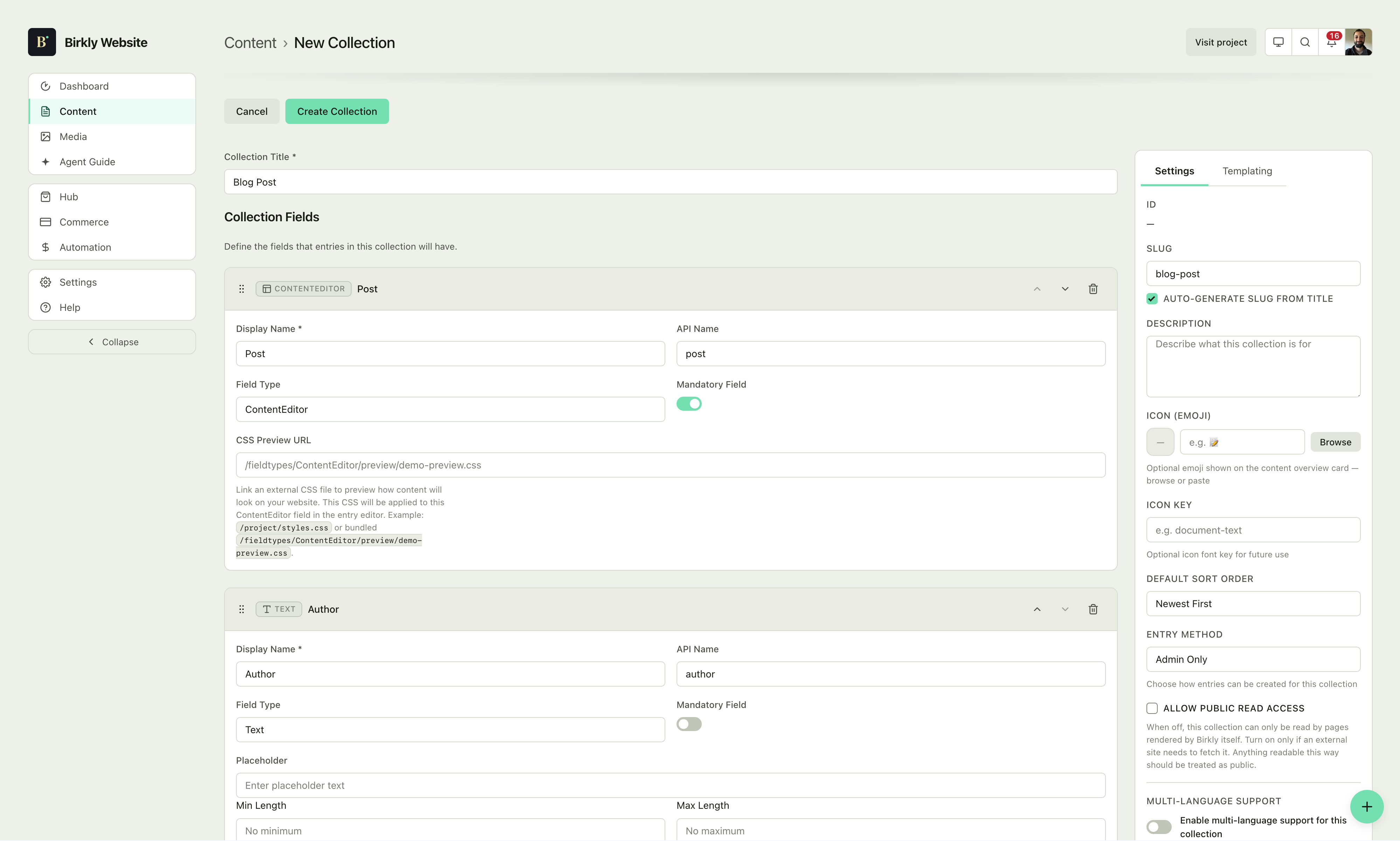
A collection defines a shape. An entry fills it in. A template renders it. Everything after this point on the page — the admin, the delivery methods, the AI layer, the Agent Guide — is built from those three. Nothing new gets invented later.
That is the whole reason the rest of this holds together: an agent reading your content and an editor changing it are looking at the same objects.
In the docs: Collections · What is Birkly
for each entry in 'roles' ordered by need
The same instance has to serve all of them without becoming four products. Three of them are covered here. The fourth gets the rest of the page.
A
AI agents
An AI does not get a special back door in Birkly. It gets an identity, a role, and exactly the permissions that role carries. That is a big enough idea to need the rest of this page.
B
Business owners
Self-hosted on your server, with your data in your own files. The core is free and open source at release — you can leave with everything at any time.
M
Marketers & editors
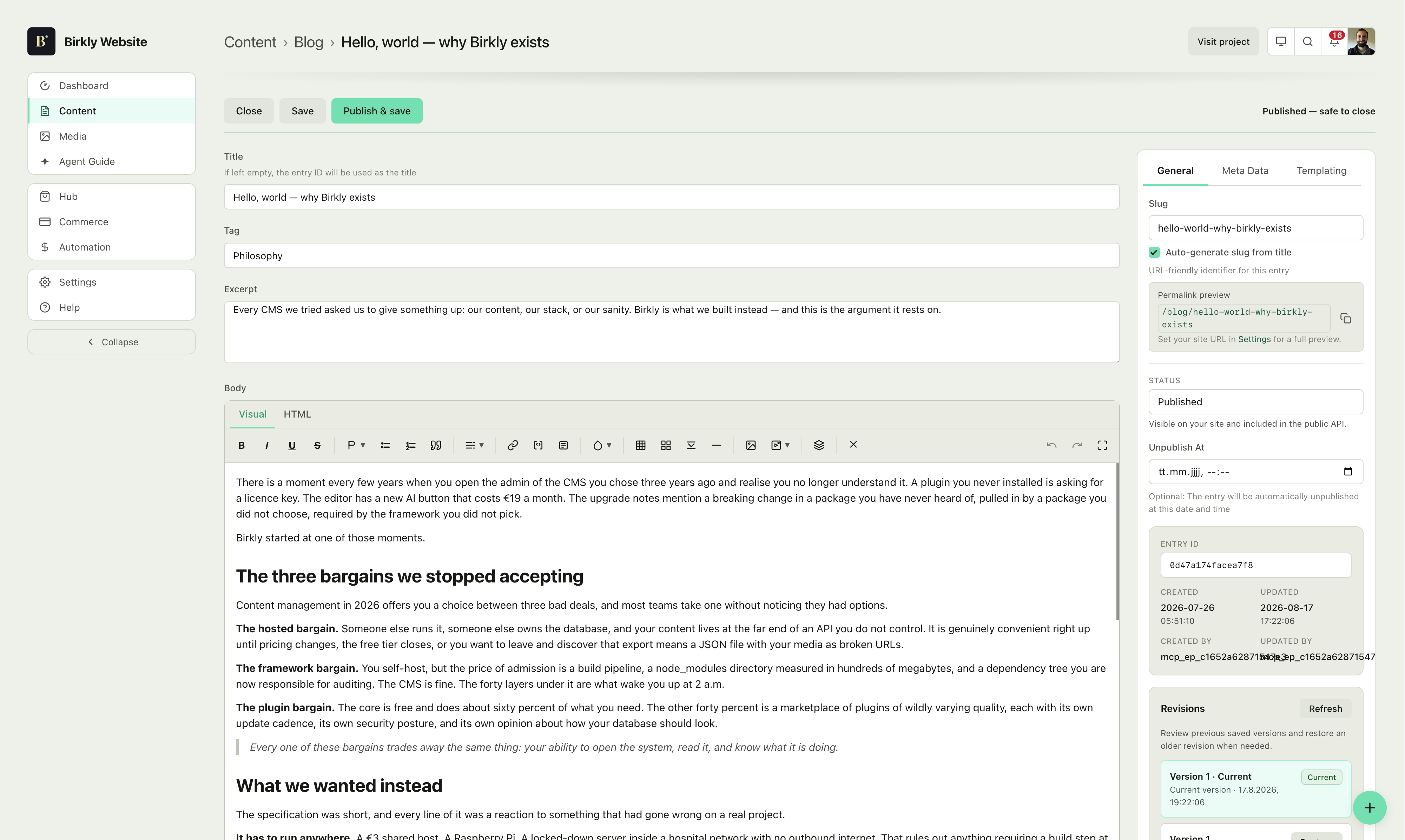
Landing pages, blog posts and forms are entries like any other. Change a template once and every page that uses it updates — no deploy, no waiting for a release window.
D
Developers
Plain HTML, CSS, PHP and JavaScript. No dependency tree to audit, no lockfile to regenerate, no framework migration guide waiting for you in eighteen months.
from 'birkly' get 'the admin'
You have defined the shape. This is where you fill it in — and where the model earns its keep, because relationships, translations and approvals are all the same three primitives wearing different hats.
An Author entry can contain a Posts sub-collection — filesystem-nested, for content that truly belongs to a parent. Need a looser cross-reference instead? The Relation fieldtype handles that. Sub-entries fetch through one dedicated call, not bundled automatically with the parent.
Give an editor exactly the collections they need. The same role system is what an AI connection inherits further down this page.
Translations live in the content model, side by side in the admin. No plugin to activate, no schema to migrate, no content duplicated by hand.
Define fields once and every entry inherits them. Change the schema later and existing entries adapt instead of breaking.
In the docs: Content overview · Roles and permissions · Media library
from 'birkly' get 'delivery' with 'control'
Content exists. Now it has to leave the building — with no build step in the way and no generation step to wait on.
rendering
Files in the project folder render on the server. Any other site connects through one script tag and renders in the browser. Same templates either way.
routing
A single blog-post.html serves the whole collection. Add an entry and its page exists — no generation step, no deploy.
hosting
Shared hosting, a VPS, a container. No Node process to keep alive, no queue to supervise, no service you cannot restart yourself.
insights
Privacy-friendly delivery metrics in the same admin, so you are not bolting a dashboard onto a CMS that already knows the answer.
git
Design and templates stay versioned with your remote, so a rollback is a revert rather than a restore from backup.
In the docs: Getting started · Settings
Every route above serves people. The rest of this page is about the other audience already reading your site.
from 'birkly' get 'ai' with 'identity'
Most systems bolt AI on as a privileged side channel with its own key and its own rules. Birkly does the opposite: an AI connection is a user in the system. It carries a role, that role resolves to a permission set, and the backend enforces that set before any action runs — not the system prompt, not the model's good intentions.
Which means the question "what can this AI do to my site?" has the same answer as "what can this person do to my site?" You already know how to reason about it, because it is the same role system you use for your team.
In the docs: AI overview · Roles and permissions
Maria — content lead
editorMaria's Claude, via personal connector
editorSam — contributor
authorSam's Claude, via personal connector
authorPublishing bot, service agent
editor (fixed)An editor's AI gets editor access. An author's AI gets author access. There is no stored agent role to escalate through.
for each entry in 'ai-connections' ordered by trust
Birkly does not tie you to a provider or charge extra for AI access. Connect OpenAI, Anthropic, Google, OpenRouter, a custom endpoint, or run Ollama locally for free. What changes between these three is whose permissions the AI inherits — never whether permissions apply.
03 / Built-in assistant
Birkly's own chat, plus helper buttons scattered through the interface where they are actually useful. Nothing to install and no external app in the loop — bring an API key, or point it at Ollama on your own machine and pay nothing at all.
02 / Service agent
When you need a shared identity rather than a personal one — a publishing assistant that always acts as editor. Admins choose the role, and choose precisely which roles or users are allowed to connect to it at all.
01 / Personal connector
One connector URL for the whole site. Everyone on the team pastes the same address into Claude, ChatGPT or Cursor, then signs in with their own Birkly account — and gets exactly their own permissions back. No client ID, no secret; OAuth handles it.
In the docs: MCP connections · AI connections · AI chat and actions
from 'birkly' get 'approvals'
Turn on require approval and writes from the built-in assistant stop in a queue instead of going live. They land in the same place as public form submissions — you read it, you edit it, you decide whether it ships.
Allowed writes become pending actions in the approval queue rather than changes to your live content.
You approve, edit or reject. Every decision lands in the activity log with a name attached.
Someone asks the assistant for a draft, a field change, a new entry — in chat or from a helper button in the admin.
The backend resolves the connection's role to a permission set and refuses anything outside it, before the action is ever queued.
External MCP clients confirm their own write tools in your AI app — Claude's permission prompt, for instance — so the approval step is never skipped, it just happens where you are working.
In the docs: AI approvals
from 'birkly' get 'agent guide'
Everything so far has been about agents you invited in. This is the other kind: the assistant answering a stranger's question about your product, with no connector and no account.
Left alone it scrapes what it can reach and guesses at the rest. Agent Guide is a page in your Birkly site that answers instead — a structured, ordered account of who you are, what you sell, what you claim, and where each claim can be verified.
Every product carries typed sources with a role and a link status. Every claim carries a review state and an expiry, so stale marketing copy stops being asserted as fact. You even set the language: preferred terms, terms to avoid, required qualifications, tone. An agent describing your product reads your voice guide before it writes a word.
Browse the documentationidentity
Official name, description, categories, what you actually do.
usage_hints
Which fields are authoritative, and when to follow a link instead.
communication_guidance
Preferred terms, avoided terms, required qualifications, tone, voice.
claims
Statements with a review status, evidence links and an expiry date.
positioning
Differentiators, who it suits — and who it does not.
products_services
Each with canonical detail links, best-for, and linked claims.
sources_of_truth
Ranked, typed references back to the collections that hold the real data.
GET /.well-known/agent-guide.json
Three delivery methods, one published version: the well-known URL, schema.org JSON-LD in the page, and MCP tools — so nothing drifts out of sync.
get_agent_guide_claima single claim and what backs itget_agent_guide_contextthe whole guide — summary, full, or products onlyget_agent_guide_productone product, with resolved sources and evidence graphlist_agent_guide_productseverything you have publishedfor each entry in 'shapes' ordered by ambition
Nothing below introduces a new concept. Each of these is collections, entries and fields arranged differently — which is the point of starting with three primitives and never adding a fourth.
Projects reference clients, both pull from one media library. Multi-language is a field.
One posts collection: an editor, a tag field, and a select field for the author. One template serves every entry you publish.
Sections nest articles, articles nest versions — FAQ stays a separate collection. Agent Guide exposes the whole tree.
One products collection with a Commerce field, plus an optional variants sub-collection. Commerce handles cart, checkout, orders and customers.
One events collection with a built-in date/location/capacity field. RSVPs and paid tickets run through the plugins, not extra collections.
One profiles collection; posts, reactions and follows all nest inside it as sub-collections members write to directly.
A fuller walkthrough of each shape is on the front page, and the step-by-step build is in Getting started.