Business owners
No surprise bills. No vendor holding your content hostage.
Your content and data stay yours — run Birkly on your own server or any host you choose, and leave whenever you like.
Birkly is a flexible content management system for modern web projects and apps, based on plain HTML, CSS, PHP and JavaScript. It runs on zero dependencies: no frameworks, libraries or packages to install, maintain or pay for, and no build step to compile them. That means less complexity and fewer security and supply chain risks.
from 'birkly' get 'the point'
Connect any AI you want — no extra subscription. Birkly's structure and APIs are built for agentic, structured access, with humans in the loop.
Zero npm or composer runtime dependencies. Fewer supply-chain risks, fewer breaking upgrades, nothing to babysit at 2 a.m.
Free and fully open source at release. A transparent, community-friendly alternative to profit-first SaaS CMSs.
Content and admin in one place. No complex setup — a working site up and running fast, on your own server.
for each entry in 'audience' ordered by need
Every one of them opens the same instance. See what each one actually gets →
from 'birkly' get 'the model' limit 3
If you understand collections, entries and fetching, you understand Birkly. So does your AI.
01
A collection is a schema — fields, types, relationships. Set it once in the admin, and every entry inherits it.
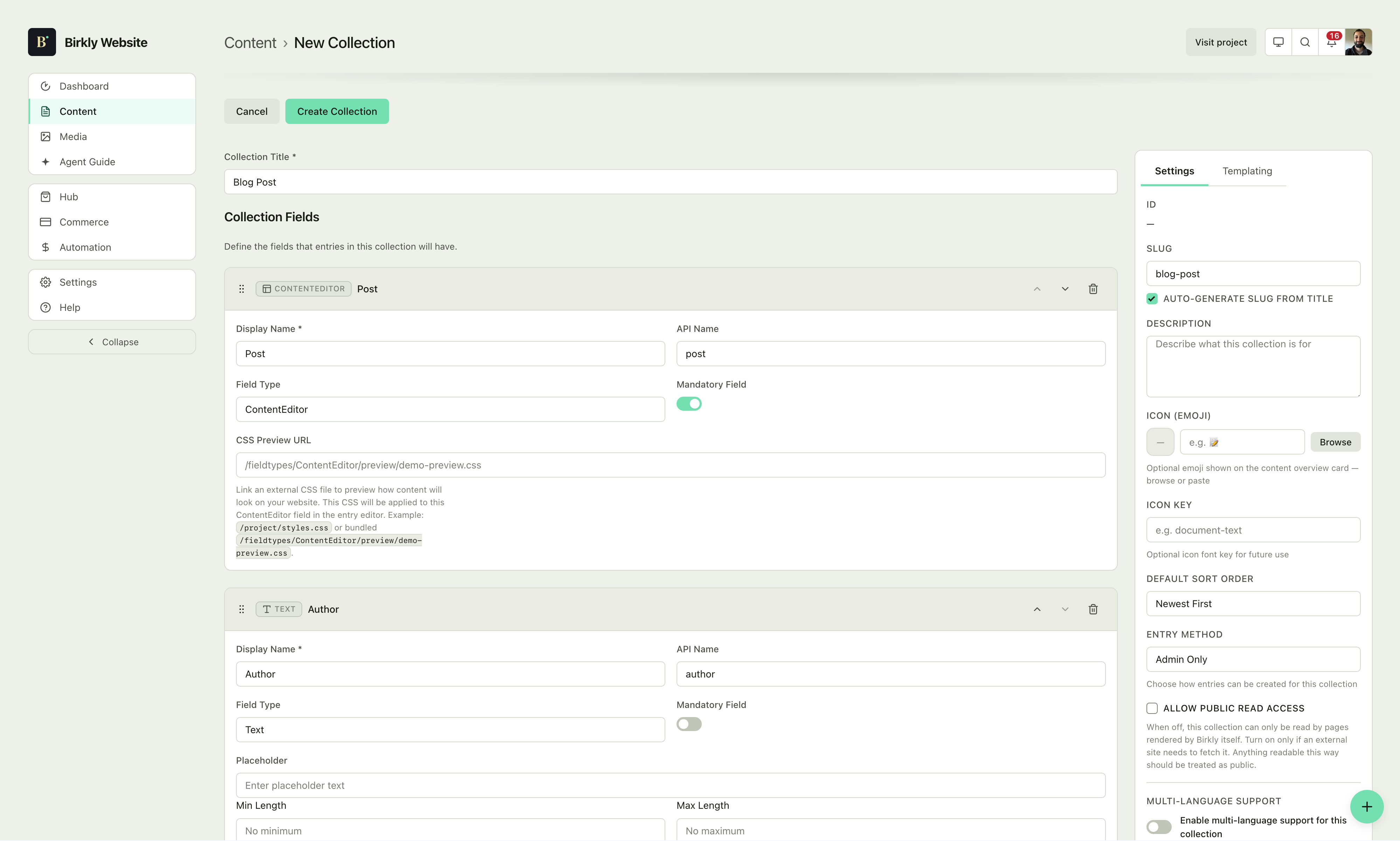
Creating a collection in the schema editor.
02
An entry is just data in that shape — write it by hand in the admin, or push it in from anywhere with the API.
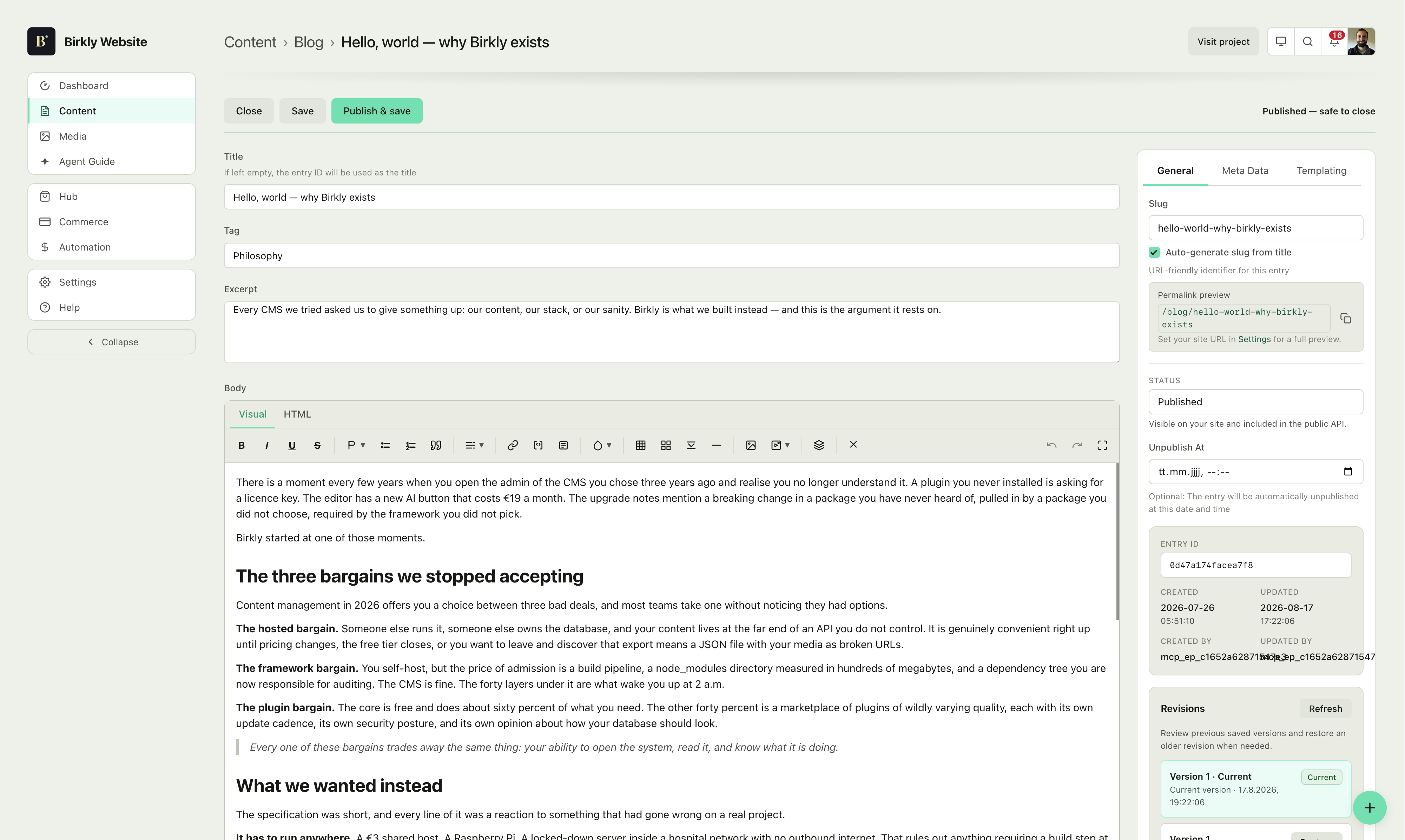
Creating an entry in the admin.
03
A template pulls entries straight into HTML with a few lines of markup — no build step, no regeneration, no waiting.
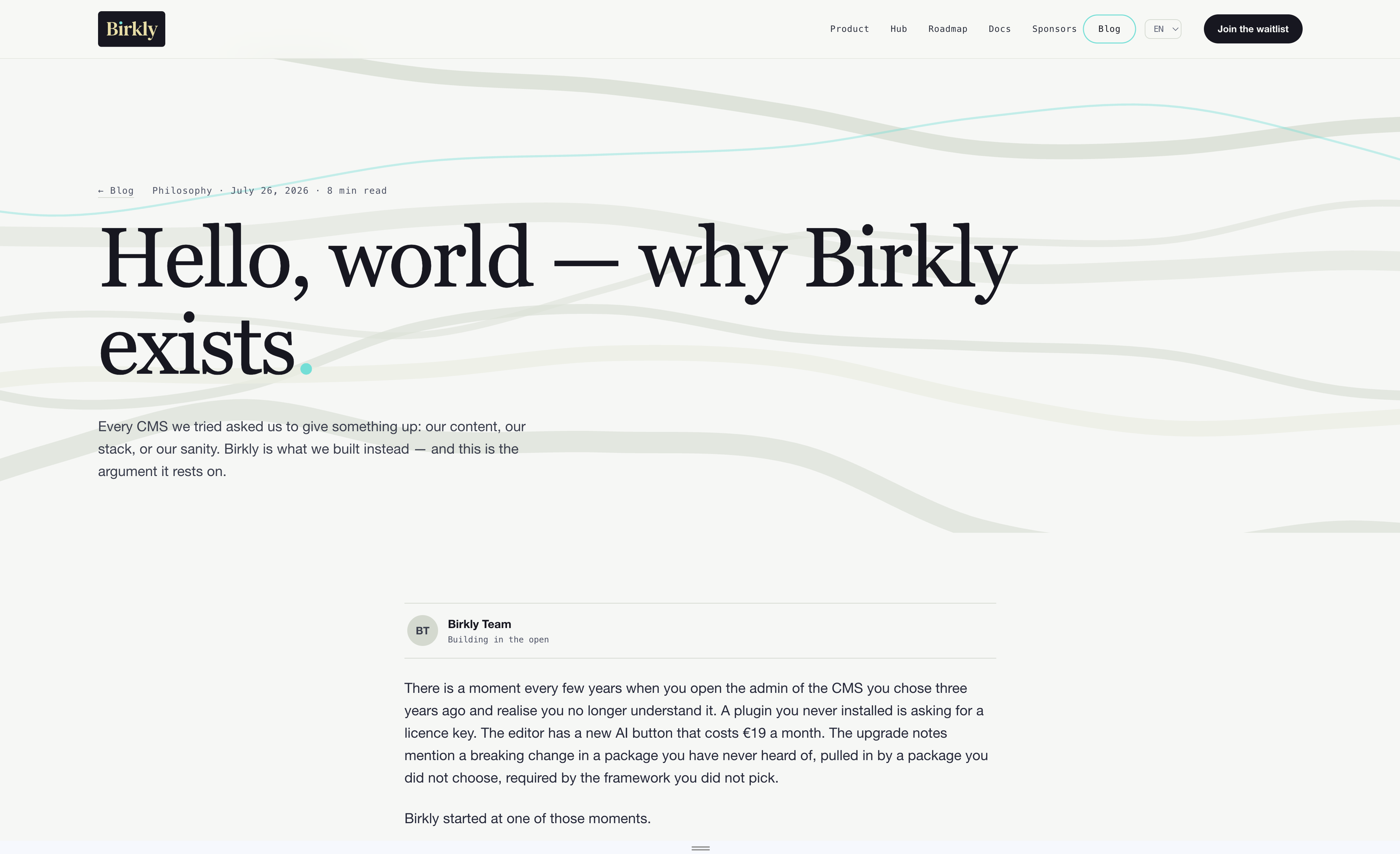
Pulling entries into a page via the API.
for each entry in 'shapes' ordered by ambition
Collections, entries and fields are the only primitives. What you build with them is a matter of arrangement — not of picking a different product.
Projects reference clients, clients reference projects, media lives in one library both can pull from. Multi-language is a field, not a rebuild — the same project entry serves every locale you publish in.
Needs: core only
collections/
4 collections · multi-language ready
One posts collection: an editor field for the body, a tag field for categorization, and a select field for the author. One blog-post.html serves every entry you will ever publish. This is the smallest useful Birkly site, and nothing about it is a starter kit you outgrow — it is the same engine the rest of this list runs on.
Needs: core only
collections/
1 collection · 1 template · no plugins
Sections is the only top-level collection you need: articles nest inside each section as a sub-collection, and versions nest one level deeper inside each article. FAQ stays a separate, flat collection, since its questions don't belong under any one section. Agent Guide then exposes the whole tree as grounded context, so an AI answering questions about your product reads your actual docs instead of guessing.
Needs: core only — Agent Guide is built in
collections/
2 collections · nested · MCP-readable
One products collection, each entry carrying a Commerce field for pricing, fulfillment and purchase options. Add a variants sub-collection for sizes or colors if you need them. Commerce itself manages the cart, Stripe checkout, subscriptions, orders and customers — there is no separate collection to build for any of that.
Needs: core + Commerce
collections/
1 collection · 1 plugin · checkout included
Each event is a single entry with an Event field that bundles the date, location and capacity together. The Events plugin handles free RSVPs and registration on that same entry; add Commerce and it can sell paid tickets through checkout too — no separate collections for venues, tickets or sign-ups.
Needs: core + Events (+ Commerce for paid tickets)
collections/
1 collection · RSVP + tickets built in
from 'birkly' get 'templating' with 'connection'
Connect an existing site or build new pages — without being locked into any framework.
Loops, fields and conditions written close to plain English. Your team reads it on day one — and so does any MCP-connected agent, without a schema briefing.
﹛for each entry in 'blog' ordered by newest limit 3﹜
  <article>
    <h2>﹛title﹜</h2>
    <p>﹛'excerpt'﹜</p>
  </article>
﹛endfor﹜Our approach to building fast without breaking what already works.
Every dependency is a promise someone else has to keep.
Thoughtful posts, shipped often — and never rewritten for a framework.
Write blog-post.html once. Every entry in the collection renders through it — no page per post, no regeneration, no deploy. Change the template and all of them change.
// blog-post.html
﹛from 'blog' get entry by slug﹜
  <h1>﹛title﹜</h1>
  <time>﹛created_at format "F j, Y"﹜</time>
  ﹛'body'﹜
﹛endget﹜/blog/shipping-small
/blog/no-build-step
/blog/making-things-well
…and every entry you add tomorrow.
One script tag on any page, anywhere — then whitelist the domain in admin. No migration, no framework, no rebuild. Or drop your files into the project folder and get server-side rendering for free.
<!-- anywhere in your existing site -->
<script src="/birkly-client.js">
</script>Domain whitelisted
6 collections available
Templates resolving
for each entry in 'hub' with 'status' = 'available'
The Birkly Hub is the live catalog for Commerce, Automation, Events, Studio, and more. The core stays free — you only reach for the Hub when you need it.
Loading Hub catalog…